Natychmiastowa dostawa na terenie EU
Przedstawiciele w 16 krajach Europy
Premium marka w dobrej cenie

1. Introduction

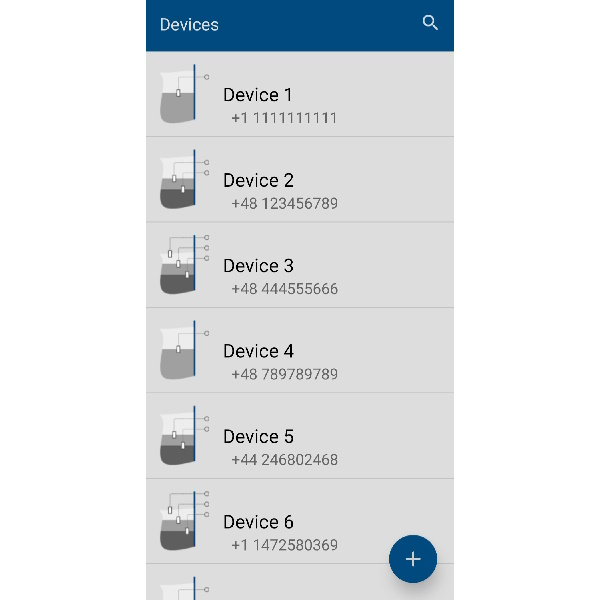
The Novabo Mobile application was developed by Novabo to provide convenient management and control of devices equipped with the nGSM module.
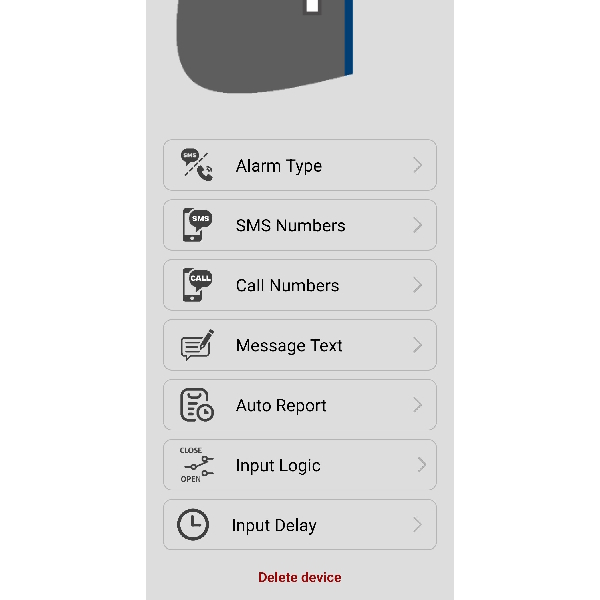
With it, the user can easily check the current alarm status in the tank or separator, as well as remotely configure alarm parameters such as recipient phone numbers, SMS message content, or input logic.

2. System Requirements

  • Operating System: Android
  • Connection: GSM
  • Device: nGSM (not compatible with SQUEALER-GSM or SQUEALER-WRL)

3. Installation

  1. Download the nGSM Mobile application from our website.
    Download link: Novabo.apk
  2. Install the application on your mobile device, accept the required permissions, and launch the application.

4. Detailed Instructions

4.1 Configuring the Device

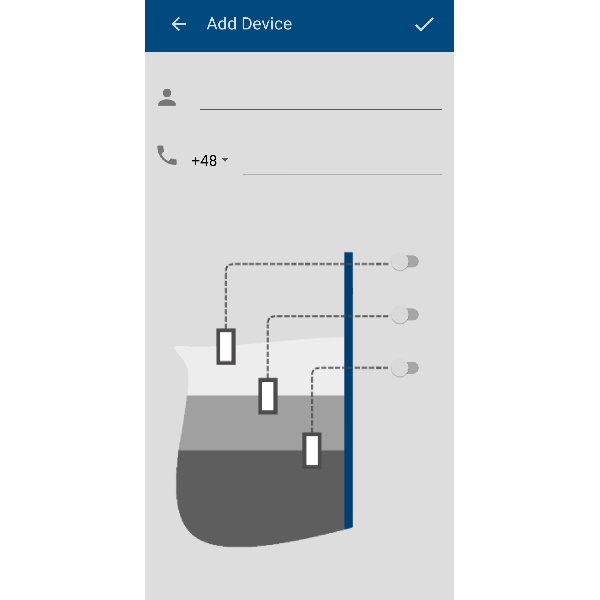
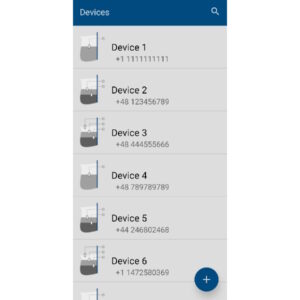
  1. Click the “+” button.
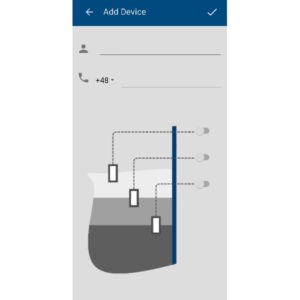
  2. Fill in the fields in the Add Device section, entering the appropriate data for the configured device.
  3. Open the newly created device.
  4. Tap the pencil icon (“Edit”).
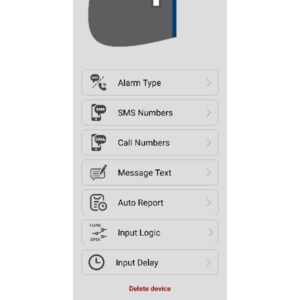
  5. Go to the SMS Numbers field and enter the number you want to receive status messages on (e.g., your own phone number).
  6. Save and wait for a response from the device.
  7. Exit the device editing window (arrow in the top-left corner or checkmark in the top-right corner, depending on changes).

The device must be powered on during configuration.

4.2 Monitoring Device Status

  1. Open the selected device to check the current system status.
  2. Press the Refresh button to request the device status.
  3. After receiving a response from the device, the alarm status will be displayed on the screen.

5. Troubleshooting

  1. No communication with the device:
    • check the GSM signal at the installation site
    • ensure that the nGSM module is powered on
  2. No SMS notifications:
    • verify the recipient’s phone number
    • verify the device’s phone number
  3. Incorrect alarm:
    • check the input logic configuration
    • ensure that the sensors are properly connected

6. Contact

If you have additional questions, please contact Novabo at:

Order by 2PM to get delivered next working day! We use 24 hours service with carriers in most cases so that you can get your order delivered on time.

There is £4.99 charge for delivery under £50 Orders. Additional charges will be imposed by our couriers for delivery to remote area, a surcharge may be levied to cover carriage to these areas.

Novabo App

Dowiedz się więcej

A mobile application designed for controllers equipped with the nGSM module.

It allows users to configure parameters, monitor operation, and manage devices directly from a smartphone.

DOWNLOAD

Novabo.apk

1. Introduction

The Novabo Mobile application was developed by Novabo to provide convenient management and control of devices equipped with the nGSM module.
With it, the user can easily check the current alarm status in the tank or separator, as well as remotely configure alarm parameters such as recipient phone numbers, SMS message content, or input logic.

2. System Requirements

  • Operating System: Android
  • Connection: GSM
  • Device: nGSM (not compatible with SQUEALER-GSM or SQUEALER-WRL)

3. Installation

  1. Download the nGSM Mobile application from our website.
    Download link: Novabo.apk
  2. Install the application on your mobile device, accept the required permissions, and launch the application.

4. Detailed Instructions

4.1 Configuring the Device

  1. Click the “+” button.
  2. Fill in the fields in the Add Device section, entering the appropriate data for the configured device.
  3. Open the newly created device.
  4. Tap the pencil icon (“Edit”).
  5. Go to the SMS Numbers field and enter the number you want to receive status messages on (e.g., your own phone number).
  6. Save and wait for a response from the device.
  7. Exit the device editing window (arrow in the top-left corner or checkmark in the top-right corner, depending on changes).

The device must be powered on during configuration.

4.2 Monitoring Device Status

  1. Open the selected device to check the current system status.
  2. Press the Refresh button to request the device status.
  3. After receiving a response from the device, the alarm status will be displayed on the screen.

5. Troubleshooting

  1. No communication with the device:
    • check the GSM signal at the installation site
    • ensure that the nGSM module is powered on
  2. No SMS notifications:
    • verify the recipient’s phone number
    • verify the device’s phone number
  3. Incorrect alarm:
    • check the input logic configuration
    • ensure that the sensors are properly connected

6. Contact

If you have additional questions, please contact Novabo at:

Order by 2PM to get delivered next working day! We use 24 hours service with carriers in most cases so that you can get your order delivered on time.

There is £4.99 charge for delivery under £50 Orders. Additional charges will be imposed by our couriers for delivery to remote area, a surcharge may be levied to cover carriage to these areas.

In stock

Categories:
Got Questions?
Feel free to Get in touch
Novabo App

Dowiedz się więcej